Let me paint you a picture.
It’s three hours before doors. You’ve got a Mac running Resolume Arena, three separate applications you need to pull content from, and the growing, creeping realisation that getting those three app windows into Resolume as independent video sources — cleanly, reliably, without turning your machine into a jet engine — is not going to be as straightforward as it sounds.
It never is.
You open a browser tab. You find a forum post from 2019. Someone suggests OBS with the Syphon plugin. Okay, great. You install OBS, you find the plugin, you discover it hasn’t been touched by its maintainer since the previous US president was in office, and you spend forty-five minutes wondering if “it seems to work on my machine” from a Reddit comment constitutes a production-ready endorsement.
It does not.
So you pivot. Maybe NDI? You can use OBS to output NDI, which Resolume can receive. It works! It works beautifully, actually — right up until you check your CPU stats and realise you’re encoding and decoding video on the same machine, which is roughly as efficient as driving to the post office to send yourself an email. Your Mac now sounds like it’s trying to achieve liftoff, and you still have three hours of show prep to get through.
There has to be a better way. There really, genuinely, has to be a better way.
The Part Where We Got Annoyed Enough to Build Something
This wasn’t a hypothetical scenario we dreamed up for a product spec. This was us. In real venues, before real shows, doing exactly the above dance and feeling exactly that particular flavour of frustrated that only comes from knowing a task should be simple.
Capturing multiple application windows on a Mac and routing them individually into a Syphon-based pipeline — like Resolume — is one of those things that falls into a weird gap. macOS doesn’t expose a native “here are all your windows as discrete video sources” API to third-party apps in a clean, low-overhead way. Syphon is fantastic for sharing frames between apps once they’re already generating Syphon output, but it doesn’t help you with apps that have no idea what Syphon is. And OBS, god love it, is a brilliant piece of software that was never really designed to be the quiet, invisible utility that sits in the background of a live show rig doing one small job without drama.
What we wanted was something that would sit quietly in the corner, ask for almost no resources, capture whatever windows we pointed it at, and make each one available as a clean Syphon source — instantly, reliably, every time. No plugins. No encoding overhead. No NDI bouncing signals around the loopback.
So we built it.
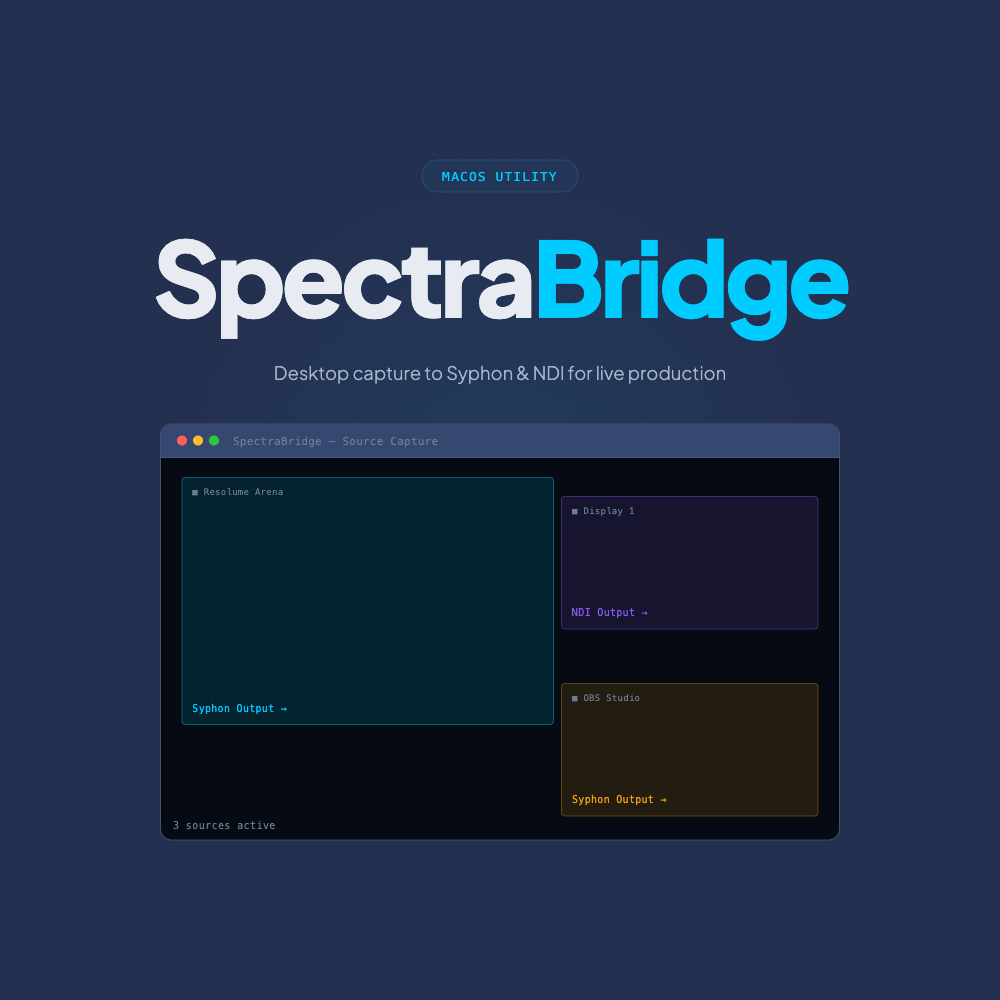
Frames captured from the screen are passed as GPU Metal textures directly to the Syphon server. They never leave the GPU, there’s no CPU encode/decode round-trip, no compression, no loopback — just frame-perfect sharing at minimal cost.
- Uses Apple’s native ScreenCaptureKit API
- No virtual display drivers or NDI re-encode
- Stable under load — even on a one-Mac touring rig
What SpectraBridge Actually Does
SpectraBridge is a native macOS application that captures your desktop content — full displays, specific applications, or individual windows — and publishes each one as a live Syphon video source.
That’s it. That’s the whole pitch. It does that one thing, and it does it as well as we could possibly make it do it.
Under the hood, it uses Apple’s native screen capture APIs and GPU-accelerated texture sharing. Frames captured from the screen are handed off as Metal textures — they stay on the GPU, get wrapped as a Syphon server, and are consumed by whatever Syphon client is waiting for them. The CPU barely knows it’s happening. There’s no encoding, no compression, no network round-trip, no overhead tax for tasks the machine shouldn’t need to be doing.
In Resolume terms: you fire up SpectraBridge, tell it to capture three windows, and three new Syphon sources appear in your source panel. You drag them into your composition. You get on with your life. Show time comes, they’re there, they’re clean, they’re stable. You go home having aged slightly less than you otherwise would have.
The Workflows Where This Actually Matters
Here’s the thing about “simple” tools — their value only becomes clear when you think about where they fit in a real production.
The presentation show. You’ve got a Keynote deck on the same machine as your media server. The client wants it composited with motion graphics in Resolume. Without SpectraBridge, you’re either running a second Mac and a capture card, or you’re doing the OBS tango. With SpectraBridge, you capture the Keynote window, it’s in Resolume, done.
The generative art set. You’re a VJ running three different generative tools simultaneously — maybe Processing, a browser-based canvas thing, and Touchdesigner. You want all three as individual layers in VDMX. SpectraBridge makes each one a Syphon source in seconds.
The corporate hybrid show. You’ve got a Teams call coming in through a browser, a countdown timer from one app, and a lower-third ticker from another. You need all three independently in your Resolume composition so you can switch between them, composite them, and control their opacity. SpectraBridge.
The one-Mac touring rig. You’re running everything on a single MacBook Pro because that’s what fits in your bag and what the budget allows. Every process that’s doing unnecessary encoding is burning battery, generating heat, and competing for GPU time with the stuff that actually matters. SpectraBridge keeps overhead to an absolute minimum so the rest of your rig can breathe.
What It Works With
Because SpectraBridge outputs a standard Syphon server, it plugs into every Syphon-compatible application without any special configuration or fuss:
→
SpectraBridge
→
Syphon Source
→
Resolume / VDMX / MadMapper / OBS / TouchDesigner
Resolume Arena and Avenue — the industry-standard VJ and media server software, which is probably why you’re reading this article in the first place.
VDMX — the incredibly flexible live video mixing platform beloved by VJs and live visual artists.
MadMapper — for projection mapping and LED pixel mapping workflows.
TouchDesigner — Derivative’s node-based real-time visual programming environment.
OBS Studio — yes, SpectraBridge can actually feed into OBS via Syphon, which is a much more sensible relationship than the other way around.
QLab, ProPresenter, and the rest of the theatrical and corporate AV stack — if it speaks Syphon, SpectraBridge talks to it.
A Note on the Design Philosophy
We made a deliberate decision when building SpectraBridge: no feature bloat. No built-in switcher, no scene composer, no attempt to be anything more than a really excellent, reliable window-to-Syphon bridge.
The live production world is full of software that started as a focused utility and ended up as a platform with seventeen toolbars and a subscription model. We have no interest in that trajectory. SpectraBridge will always do exactly what it says on the tin — and it’ll do it without drama, without demanding your attention, and without requiring three hours of configuration before a show.
It’s the digital equivalent of a good patch cable. You don’t think about it. It just works.
Pricing, Trial, and the Bit Where You Actually Try It
SpectraBridge is $99 AUD (inc. GST). One-time purchase, no subscription, no usage tiers, no “you need the Pro version for more than two sources” nonsense.
There’s a 7-day free trial with full functionality — output carries a watermark during the trial, which disappears once you’ve purchased your licence. We genuinely encourage you to try it in a real show environment before you buy. That’s the point. Controlled demos are lovely, but we know you’ll trust it a lot more once you’ve seen it run through a load-in without hiccups.
Part of Something Bigger
SpectraBridge was the first thing we built, but it’s not the last. It’s the founding piece of what we’re calling the Spectra suite — a growing collection of focused macOS tools for live video production, built by people who have actually stood behind a rig at a show and felt the particular kind of despair that comes from a tool letting you down at the worst possible moment.
The next cab off the rank was SpectraMap, which takes the output side of the problem and solves it — mapping multiple sources onto canvases and sending them out over NDI to your LED walls and downstream devices. More on that one separately.
And more is coming. We’re building something that we think the live production and broadcast community on macOS genuinely needs, and SpectraBridge is where it started — with a frustrating afternoon, a forum post from 2019, and the decision to just bloody build the thing ourselves.
Explore all Spectra tools →
Read about SpectraMap →
Get in touch →